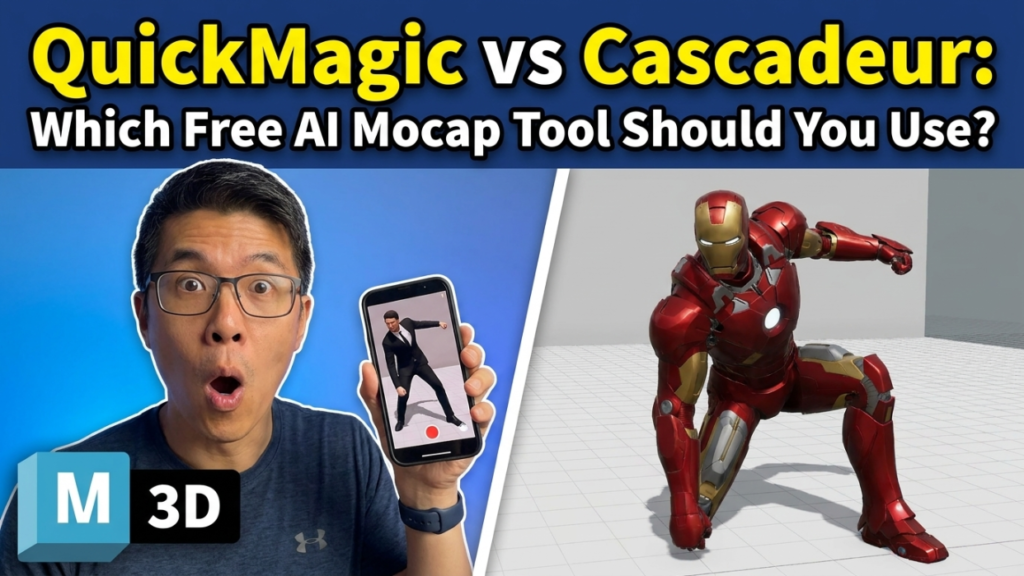
If you’re comparing QuickMagic vs Cascadeur, here’s the twist most roundups miss: they aren’t really rivals. One turns your video into motion; the other turns raw motion into something that actually looks good. Put them side by side and the smarter question isn’t “which one,” it’s “which one first.”
This guide breaks down what each does, where each wins, and why a lot of animators quietly use both.
The 30-second verdict
| QuickMagic | Cascadeur | |
|---|---|---|
| What it is | Browser AI motion capture | Desktop animation + cleanup software |
| Main job | Turn video (or text) into 3D motion | Add physics, fix poses, refine mocap |
| Runs on | Any browser, nothing to install | Windows, Linux, ARM Mac |
| Free tier | 50 credits/month, single-camera, FBX export | Free tier for learning (non-commercial, limited export) |
| Best at | Speed — raw motion in minutes | Realism — weight, balance, believable motion |
| Use it when | You need animation fast | You need animation right |
Short version: QuickMagic captures, Cascadeur cleans up. Read on for the detail.
What QuickMagic does
QuickMagic is a browser-based AI mocap tool. You upload a single-camera clip — phone, webcam, whatever — or even type a text prompt, and it estimates full-body, hand and facial motion and hands you editable animation data. No suit, no markers, no install.
The free plan gives you monthly credits, captures short single-camera clips, and exports FBX, which drops straight into Blender, Unreal, Unity or Maya. Paid tiers add longer clips and more export targets (BVH, Mixamo, VMD, Unreal presets and more). For most common movements — walking, gestures, basic action — the output lands close to professional systems; where it struggles is very fast motion, heavy occlusion, and poor lighting.
Best for: creators who want usable motion fast, with zero hardware and zero setup.
What Cascadeur does
Cascadeur is a standalone animation program built by Nekki, used by 60,000+ animators. It isn’t a capture tool first — it’s where animation becomes believable. Its headline features:
- AutoPhysics — analyses your animation and suggests a physically accurate version, adding real weight, balance and momentum.
- AutoPosing — AI-assisted posing (including fingers) so characters fall into natural poses fast.
- Animation Unbaking — turns locked, baked mocap into fully editable keyframes.
- Quick Rigging — near one-click rigs for standard skeletons.
It runs on Windows, Linux and ARM Macs, and exchanges files as FBX, DAE and USD. The free tier is generous for learning the whole pipeline (non-commercial, with some export and feature limits); the Indie and Pro tiers unlock full export formats and unrestricted commercial use — and the annual plans convert to a perpetual license after 12 months.
Best for: refining, cleaning up and physically grounding animation — including mocap you captured elsewhere.
Head-to-head
Capture vs cleanup. QuickMagic generates motion from video. Cascadeur doesn’t capture from video as its main job — it refines motion you already have. Comparing them purely on “mocap accuracy” misses the point; they sit at different stages.
Ease of use. QuickMagic wins on day one — upload, wait, export. Cascadeur has a real learning curve because it gives you deep physics and posing control that a capture tool simply doesn’t.
Platform. QuickMagic runs anywhere with a browser. Cascadeur is a desktop install, which also means it works fully offline once set up.
Cost to start. Both are free to begin. QuickMagic’s free credits refresh monthly; Cascadeur’s free tier has no time limit for learning. Commercial, watertight exports eventually mean a paid tier on either side.
Formats. QuickMagic exports to a wide range on paid plans (FBX on free). Cascadeur speaks FBX, DAE and USD — clean for Blender, Maya and Unreal pipelines.
The real answer: use them together
Cascadeur’s own community openly documents QuickMagic-to-Cascadeur cleanup workflows, because the pairing is obvious once you’ve tried it:
- Capture your performance in QuickMagic from a single video.
- Export the FBX.
- Import into Cascadeur, run AutoPhysics to add weight and momentum, and use AutoPosing to fix any broken frames.
- Export the polished FBX into Blender, Unreal or Unity.
You get QuickMagic’s speed and Cascadeur’s realism — which is exactly why treating this as an either/or is the wrong frame.
So which should you pick?
- Just need motion, fast, for previs or a prototype? Start with QuickMagic.
- Already have mocap that feels floaty or stiff? Bring it into Cascadeur.
- Want production-quality character animation end to end? Use both, in that order.
Either way, both are free to try, so the lowest-risk move is to run a clip through the full pipeline yourself.
FAQ
Is QuickMagic or Cascadeur better for beginners?
QuickMagic — it produces usable motion in minutes with no learning curve. Cascadeur rewards time invested but asks more of you upfront.
Can Cascadeur do motion capture from video?
It has an alpha video-mocap feature, but its strength is refining and physically correcting animation, not capturing it. For video capture, QuickMagic is the specialist.
Are they really free?
Both have genuine free tiers. QuickMagic gives monthly credits with FBX export; Cascadeur’s free tier is great for learning, with paid tiers unlocking full export and commercial use.
Do they work with Blender?
Yes — both export FBX that imports cleanly into Blender. See our guide to the best free AI mocap for Blender.
Want the wider picture? Compare every option in our directory of free AI mocap tools, or learn how to convert video to FBX motion data for free.
More free mocap guides: is AI motion capture really free?, AI motion capture from video.
Last updated: August 2026.
Disclosure: some links above are affiliate links. If you sign up through them we may earn a commission at no extra cost to you. It never affects our rankings.