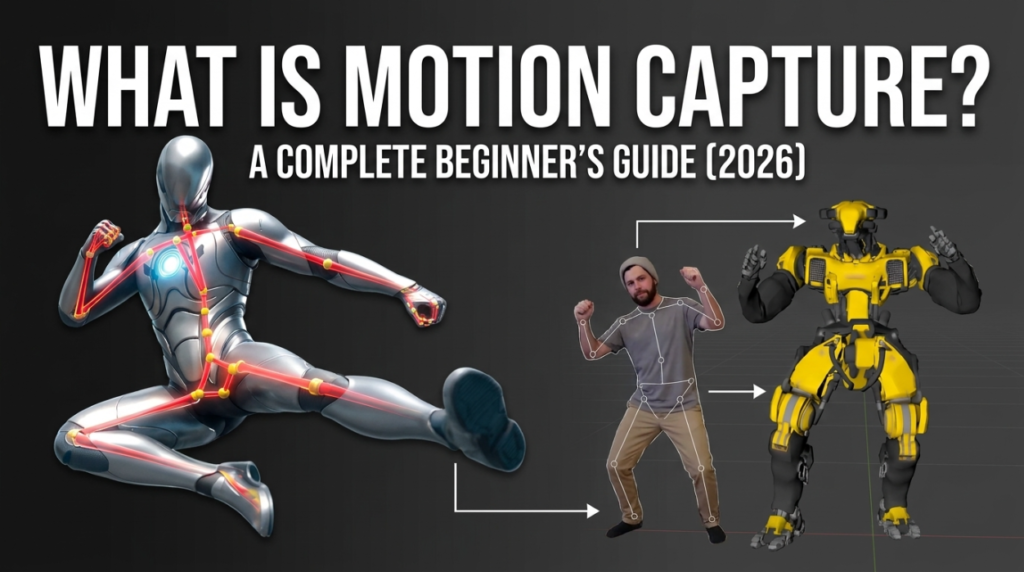
Motion capture (mocap) is the process of recording a real person’s movement and using it to animate a 3D character — turning a live performance into digital animation data. Instead of hand-keying every pose, an animator captures a real actor and maps that motion onto a virtual model. This guide explains, in plain English, how motion capture works, the different types, where it’s used, and how you can try it yourself for free. Whether you’re a total beginner or a game dev sizing up your options, you’ll leave knowing exactly what mocap is and where to start.
How motion capture works
At its core, mocap answers one question: where is the body in space, frame by frame? A system tracks key points on a performer — joints, face, fingers — and reconstructs their 3D positions over time. That stream of positions becomes an animation clip you can apply to any compatible character. There are two fundamentally different ways to get those positions.
Marker-based vs markerless — the two main methods
Marker-based motion capture puts physical markers (reflective dots or sensors) on a performer, tracked by a ring of specialized cameras. It’s extremely accurate — which is why film studios and AAA games still use it — but it needs expensive hardware, a dedicated space, and trained operators.
Markerless (AI) motion capture skips the markers entirely. AI models trained on huge datasets of human movement estimate the body’s pose directly from ordinary video. No suit, no markers, no studio — a single phone or webcam is enough. It’s less precise than marker-based systems for fast, complex motion, but for the vast majority of creators it’s more than good enough, and it’s what made mocap free and accessible. If you want to try it, start with our directory of free AI motion capture tools.
The takeaway: marker-based buys precision with money and hardware; markerless AI trades a little precision for near-zero cost and setup.
The three types of capture: body, face, and hand
Motion capture isn’t one thing — most performances combine three layers:
- Body capture tracks the skeleton — the walks, runs, gestures and action. This is the foundation of character animation. Learn how to do it from video in our guide to AI motion capture from video.
- Facial capture tracks the dozens of micro-expressions — blinks, jaw, brows, lip-sync — that make a character feel alive. It usually rides on Apple’s ARKit and 52 facial “blendshapes.” See our free facial motion capture guide.
- Hand and finger capture adds the subtle detail of gestures and grips, increasingly captured by the same AI tools that do the body.
A full performance layers all three; many free AI tools now capture body, hands and face from a single clip.
What motion capture is used for
Mocap shows up almost everywhere there’s a moving 3D character:
- Video games — believable locomotion, combat and cutscenes.
- Film and VFX — digital doubles and creatures driven by real actors.
- VTubing and live streaming — real-time avatars that move as the streamer does. See our free real-time motion capture guide.
- Indie and previz — solo creators blocking out shots fast and cheaply.
What used to be a Hollywood-only tool is now something a hobbyist can do on a laptop.
How to try motion capture for free
You don’t need a suit or a studio to start. The typical free pipeline is:
- Record a clip of the movement on a phone or webcam — full body in frame, even lighting.
- Capture it with a free AI tool. Browser-based QuickMagic turns a single video into full-body, hand and face motion and exports FBX on a free plan.
- Clean it up — single-camera capture can float or slide, so refine it in Cascadeur’s free tier, which adds physical weight and fixes broken frames.
- Import and retarget the result into Blender, Unreal or Unity onto your character.
That’s a complete, professional-shaped workflow at zero cost — and every step has a free option, whether you’re in Blender, Unreal or Unity.
FAQ
What is motion capture in simple terms?
It’s recording a real person’s movement and using it to animate a 3D character, instead of drawing or keyframing each pose by hand.
What’s the difference between marker-based and markerless mocap?
Marker-based uses physical markers and special cameras for high precision; markerless uses AI to read movement from ordinary video — no suit, no markers, and it’s often free.
Is motion capture free?
Yes — free AI tools like QuickMagic and Rokoko Vision capture from a phone or webcam, and Cascadeur’s free tier cleans the result up. See the full free AI mocap directory.
Do you need a special suit for motion capture?
Not anymore. Markerless AI mocap works from a single phone or webcam clip — no suit or markers required.
Start here: the 7 best free AI mocap tools, free markerless motion capture, or the full free AI mocap directory.
Disclosure: some links above are affiliate links. We may earn a commission at no extra cost to you; it never affects our rankings.