Cascadeur is a standalone AI-assisted animation program that adds realistic physics and posing to 3D character animation — with a free tier and no mocap suit required. Unlike browser mocap tools, it isn’t built to capture motion from video; it’s built to make animation — including mocap you captured elsewhere — look believable. This review covers what it does, how good the AI features really are, what the free tier allows, and who should use it.
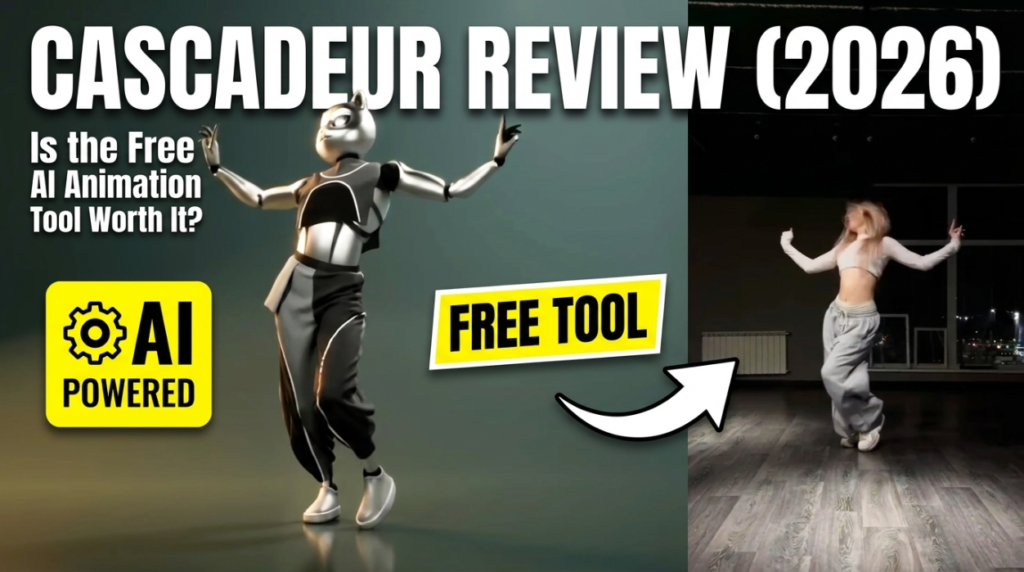
The 30-second verdict
Cascadeur is the best free way to turn stiff or floaty motion into physically convincing animation. Its AutoPhysics and AutoPosing features do genuine heavy lifting, and the free tier is generous for learning. The catches: a real learning curve, and the free tier is intended for non-commercial use — commercial rights and full export come with the paid tiers. If you have mocap that looks off, Cascadeur is where you fix it.
What Cascadeur does
Cascadeur, built by Nekki and used by 60,000+ animators, is a desktop application (Windows, Linux and ARM Mac) focused on making motion believable. Its headline AI features:
- AutoPhysics analyses your animation and suggests a physically accurate version, adding real weight, balance and momentum.
- AutoPosing lets you pose a character — including fingers — by dragging a few points, with AI filling in a natural full-body pose.
- Animation Unbaking converts locked, baked mocap into fully editable keyframes.
- Quick Rigging gets a standard skeleton set up fast.
It exchanges files as FBX, DAE and USD, so it slots between your capture tool and Blender, Unreal or Unity.
How good are the AI features?
This is where Cascadeur earns its reputation. AutoPhysics is the standout — feed it single-camera mocap that floats or slides, and it grounds the motion with believable weight in a way that would take hours to key by hand. AutoPosing dramatically speeds up blocking and cleanup. They’re not magic buttons — you still guide and refine — but they meaningfully cut the time between “captured” and “finished.”
What the free tier actually allows
Cascadeur’s free tier has no time limit and includes the core AI toolset, which makes it excellent for learning the whole pipeline. The important limit: it’s intended for non-commercial use, with some export and feature restrictions. The Indie and Pro tiers unlock full export formats and unrestricted commercial use — and notably, the annual plans convert to a perpetual license after 12 months, which is rare and creator-friendly. Always confirm current terms on Cascadeur’s site.
Where it shines
- AutoPhysics genuinely fixes floaty, weightless motion — the #1 problem with free single-camera mocap.
- Free tier with no time limit for learning, unlike trial-based competitors.
- Runs offline once installed, and on Linux and ARM Mac as well as Windows.
- Perpetual license path on annual plans is unusually fair.
Where it falls short
- Learning curve. It gives you deep control, which means more to learn than a one-click tool.
- Not a capture tool. It doesn’t turn video into mocap as its main job — you bring motion in from elsewhere.
- Commercial use is paid. The free tier is non-commercial, so shipping paid work means a subscription.
Who should use Cascadeur?
Anyone who wants believable character animation — especially if you’re capturing mocap with a free AI tool and it comes out floaty or stiff. The winning combo is capture + cleanup: grab motion in a tool like QuickMagic, then ground and polish it in Cascadeur. See how they differ in our QuickMagic vs Cascadeur comparison.
The verdict
Cascadeur is one of the most genuinely useful free tools in 3D animation. AutoPhysics alone justifies the download, and the no-time-limit free tier lets you learn the entire workflow before paying. Just go in knowing it’s a cleanup and animation tool, not a video-capture tool — pair it with a mocap app and it becomes the step that makes your free motion look professional.
FAQ
Is Cascadeur free?
Yes — it has a free tier with no time limit that includes the core AI features, intended for non-commercial use. Paid Indie and Pro tiers add commercial rights and full export.
Does Cascadeur do motion capture from video?
Not as its main function. It’s built to refine and physically ground animation, including mocap captured elsewhere. For video capture, pair it with a tool like QuickMagic.
What is AutoPhysics?
An AI feature that analyses your animation and produces a physically accurate version — adding weight, balance and momentum to fix floaty or unrealistic motion.
What can Cascadeur export?
FBX, DAE and USD, so it fits into Blender, Unreal and Unity pipelines (full export on paid tiers).
Compare it in QuickMagic vs Cascadeur, read the QuickMagic review, or see the 8 best free AI mocap tools.
Disclosure: some links above are affiliate links. If you sign up through them we may earn a commission at no extra cost to you. It never affects our assessment.